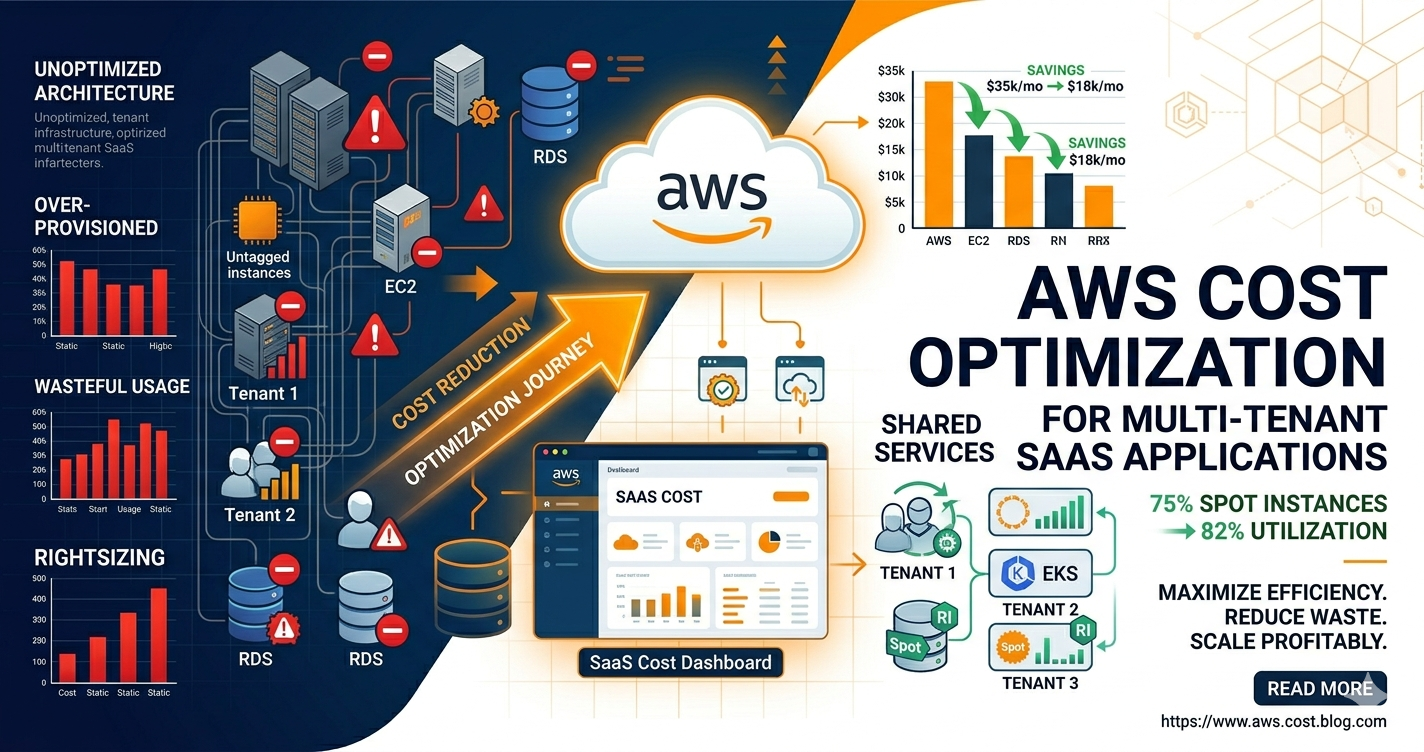
Multi-tenant architectures let you serve many customers from shared infrastructure, which drives down per-tenant costs. But at production scale you'll notice that some tenants use far more than others, and the AWS bill doesn't reflect that.
1. Right-Size Your Compute
The biggest line item in most AWS bills is EC2 or ECS/Fargate compute. In multi-tenant setups, it's tempting to over-provision to handle the loudest tenant. Don't.
Use Auto Scaling with custom metrics. CPU-based scaling misses tenant behavior. Instead, instrument your application to emit per-tenant request counts or queue depth, and scale on those metrics. If Tenant A sends 10x the traffic, your pool should grow to serve them without dragging Tenant B along for the ride.
Consider per-tenant instance sizing. If enterprise tenants pay for guaranteed performance, give them dedicated instance types (like r6i.xlarge) while keeping startup tenants on shared Spot instances with capacity groups. The cost differential is significant. Spot can be 60-70% cheaper.
Run AWS Compute Optimizer. Before right-sizing manually, let Compute Optimizer analyze your CloudWatch metrics and tell you which instances are over-provisioned. It covers EC2, ECS on Fargate, Lambda, and RDS. It's free, and it often surfaces 20-40% waste in well-intentioned but under-tuned deployments.
2. Separate State from Compute
A common anti-pattern is coupling tenant data to the same RDS or ElastiCache cluster that serves your application code. That forces you to size the database for peak tenant activity, even when most tenants are idle.
Database-per-tenant or connection pooling. For high-compliance or high-usage tenants, dedicated RDS instances make sense. For everyone else, implement PgBouncer or Redis connection pooling to multiplex connections across tenants. You can run one large database instance instead of many small ones.
Consider Aurora Serverless v2 for variable workloads. If tenant activity is spiky or unpredictable, Aurora Serverless v2 scales capacity in fine-grained increments (0.5 ACU steps) and scales down to near-zero during idle periods. For apps where most tenants are occasionally active rather than constantly active, this can cut database costs significantly compared to a provisioned instance sized for peak load.
S3 for bulk storage. If tenants upload files, documents, or blobs, use S3 with per-tenant prefixes rather than storing them in the database. S3 costs are predictable and cheap, and you can use lifecycle policies to move older data to Glacier or Intelligent-Tiering automatically.
3. Implement Usage-Based Reservations
On-demand pricing kills multi-tenant margins. Most multi-tenant apps have predictable baseline usage, and paying on-demand for resources you know you'll run continuously is leaving money on the table.
Commit to Savings Plans for your baseline. If you run 10 t3.medium instances 24/7, commit to a 1-year Compute Savings Plan. You'll save 30-40% instantly, and the burst capacity above baseline can run on Spot. Prefer Savings Plans over Reserved Instances. RI flexibility is limited, and RI management adds operational overhead you don't need. Savings Plans give you the same discount with less commitment friction.
4. Tag Everything and Bill Back
If you don't know which tenant costs what, you can't optimize. AWS's granular billing helps here.
Tag every resource by tenant ID. Tag your EC2 instances, RDS databases, Lambda functions, and NAT Gateway traffic. Use TenantId: acme-corp or TenantId: startup-plan.
Use Cost Explorer with tags. Build a simple dashboard showing cost per tenant. When Tenant X shows $800/month and Tenant Y shows $50, you can have the pricing conversation with the heavy user or find optimization opportunities for them.
5. Watch the Hidden Costs
The obvious services get attention, but the hidden ones add up:
- NAT Gateway: if tenants make lots of outbound API calls, NAT Gateway data processing fees stack up. Consider VPC endpoints for AWS services, and cache aggressively.
- CloudWatch Logs: ingesting and storing logs for inactive tenants is wasteful. Set expiration policies, or use CloudWatch Logs Insights with query-based retrieval instead of constant streaming.
- Data Transfer: cross-AZ traffic, public IP egress, and inter-region traffic all cost. Keep tenant workloads in the same AZ where possible.
6. Schedule Non-Production Environments
If staging, QA, or demo environments run 24/7, you're wasting money. Most teams only use them 8-10 hours a day.
Use Lambda or EventBridge to start and stop non-prod instances on a schedule. That alone can cut the environment's compute bill by 60% or more, with no impact on your workflow.
7. Move Background Jobs to Lambda
Many multi-tenant apps run background workers (sending emails, processing uploads, generating reports) on always-on EC2 instances or ECS tasks. If those jobs are triggered by events rather than running continuously, Lambda is almost always cheaper.
A job that runs for 200ms per tenant event costs a fraction of a cent on Lambda. The same logic running on a t3.medium 24/7 to handle sporadic events is wasted spend. Trigger Lambda functions per job with EventBridge or SQS, and reserve always-on compute for workloads that genuinely need it. Lambda's 15-minute timeout and 10GB memory ceiling cover most background processing patterns.
The Bottom Line
Multi-tenant cost optimization is about matching cost to value. Tenants who use more should bear more of the infrastructure cost, and the strategies above let you do that while keeping shared infrastructure efficient for everyone.
Start with tagging and cost visibility. You can't optimize what you can't measure. Then move to right-sizing and reservation strategies. Those three steps alone typically cut 20-30% off a growing multi-tenant AWS bill.
If you're building a multi-tenant SaaS and want infrastructure that's cost-efficient from day one, our AWS & DevOps team can help.